
获取 HTML 元素的位置 (X,Y)
htmlweb developmentfront end technology更新于 2024/6/18 21:00:17
HTML 文档的 X、Y 位置表示 X 为水平方向,Y 为垂直方向。这里,我们将看两个获取位置的示例:
- 获取网页上特定文本的位置。
- 获取网页上按钮的位置。
获取网页上特定文本的位置
要获取网页上特定文本的位置,我们将使用 getBoundingClientRect() 方法。该方法提供有关元素大小及其相对于视口的位置的信息。这将为我们提供鼠标悬停时的 X 和 Y 坐标 -
var rect = element.getBoundingClientRect();
document.getElementById('text').innerHTML = 'X Coordinate= ' + rect.x + '<br>' + 'Y Coordinate = ' + rect.y;
鼠标悬停在 div 上时,值会显示出来 -
<div onmouseover="getPositionXY(this)">
   X,Y Position =
   <p id='text'></p>
</div>
示例
现在让我们看一个例子-
<!DOCTYPE html>
<html>
<head>
   <title>Example X,Y Coordinate</title>
   <script>
      function getPositionXY(element) {
         var rect = element.getBoundingClientRect();
         document.getElementById('text').innerHTML = 'X Coordinate= ' + rect.x + '<br>' + 'Y
         Coordinate = ' + rect.y;
      }
   </script>
</head>
<body>
   <h1>Position</h1>
   <p>To get the position, move the mouse cursor over the below text.</p>
   <div onmouseover="getPositionXY(this)">
      X,Y Position =
      <p id='text'></p>
   </div>
</body>
</html>
输出
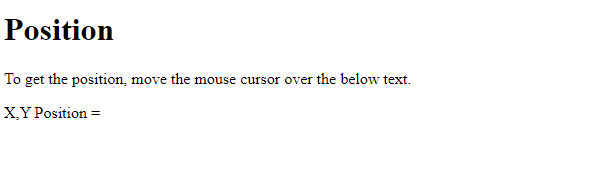
将光标停留在文本上时,X、Y 坐标可见 −
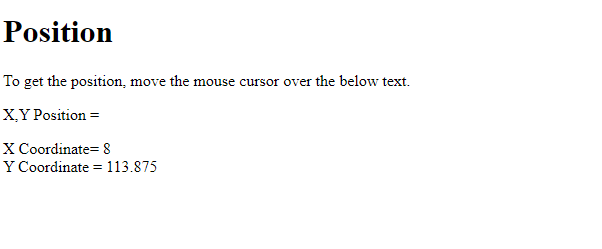
获取网页上按钮的位置
在本例中,我们将获取网页上按钮的位置。为了获取位置,我们将使用 getBoundingClientRect() 方法。该方法提供有关元素大小及其相对于视口的位置的信息。这将为我们提供点击时的 X 和 Y 坐标 −
function getPositionXY(element) {
   var rect = element.getBoundingClientRect();
   document.getElementById('demo').innerHTML =
   'X Coordinates = ' + rect.x + ', ' + 'Y Coordinates = ' + rect.y
}
鼠标悬停在 div 上时,值会显示出来 -
<p>Get the Coordinates of any of the button positioned below:</p>
<button id='button1' onclick="getPositionXY(this)">Button 1</button>
<button id='button1' onclick="getPositionXY(this)">Button 2</button>
<button id='button1' onclick="getPositionXY(this)">Button 3</button>
<button id='button1' onclick="getPositionXY(this)">Button 4</button>
<br><br>
<button id='button1' onclick="getPositionXY(this)">Button 5</button>
<button id='button1' onclick="getPositionXY(this)">Button 6</button>
<button id='button1' onclick="getPositionXY(this)">Button 7</button>
<button id='button1' onclick="getPositionXY(this)">Button 8</button>
示例
现在让我们看一个例子-
<!DOCTYPE html>
<html>
<head>
   <title>Coordinates of Buttons</title>
   <script>
      function getPositionXY(element) {
         var rect = element.getBoundingClientRect();
         document.getElementById('demo').innerHTML =
         'X Coordinates = ' + rect.x + ', ' + 'Y Coordinates = ' + rect.y
      }
   </script>
</head>
<body>
   <h1>Coordinates</h1>
   <p>Get the Coordinates of any of the button positioned below:</p>
   <button id='button1' onclick="getPositionXY(this)">Button 1</button>
   <button id='button1' onclick="getPositionXY(this)">Button 2</button>
   <button id='button1' onclick="getPositionXY(this)">Button 3</button>
   <button id='button1' onclick="getPositionXY(this)">Button 4</button>
   <br><br>
   <button id='button1' onclick="getPositionXY(this)">Button 5</button>
   <button id='button1' onclick="getPositionXY(this)">Button 6</button>
   <button id='button1' onclick="getPositionXY(this)">Button 7</button>
   <button id='button1' onclick="getPositionXY(this)">Button 8</button>
   <p id='demo'></p>
</body>
</html>
输出
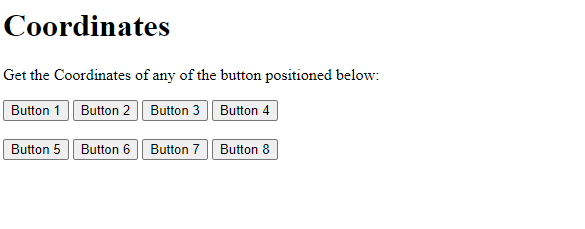
点击任意按钮即可获取位置 −
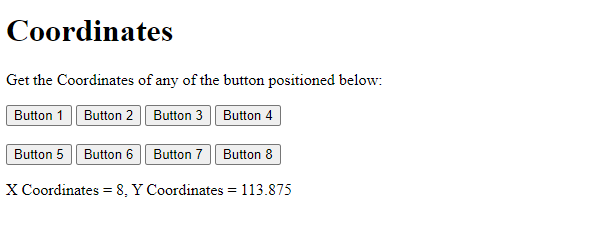
相关文章
有用资源
html 参考教程 - 该教程包含有关 html 的更多信息:https://www.cainiaomax.com/html/

