
推荐在 HTML 中嵌入 PDF 的方法?
htmlweb developmentfront end technology更新于 2024/7/19 9:16:17
在 HTML 中嵌入 PDF 非常简单,而且方法多种多样。让我们逐一了解一下。
- 使用 iframe 在 HTML 中嵌入 PDF。
- 使用 embed 标签在 HTML 中嵌入 PDF。
- 使用 object 标签在 HTML 中嵌入 PDF。
使用 iframe 在 HTML 中嵌入 PDF
设置 iframe 标签的 src 属性,并添加要嵌入的 PDF 链接 -
<iframe src="https://www.cainiaomax.com/python3/python3_tutorial.pdf" width="700" height="500">
</iframe>
示例
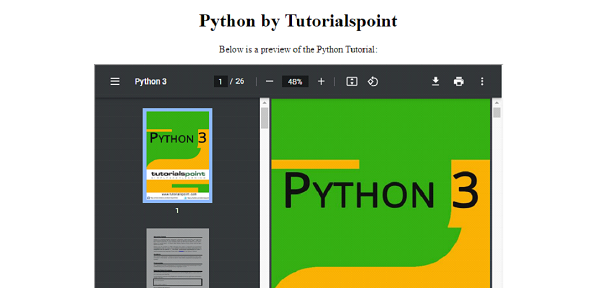
现在让我们看一个使用 <iframe> 嵌入 PDF 的示例 -
<!DOCTYPE html>
<html>
<head>
   <title>Embed PDF</title>
</head>
<body>
   <center>
      <h1>Python by Tutorialspoint</h1>
      <p>Below is a preview of the Python Tutorial:</p>
      <iframe src="https://www.cainiaomax.com/python3/python3_tutorial.pdf" width="700" height="500">
      </iframe>
   </center>
</body>
</html>
输出
使用 embed 标签在 HTML 中嵌入 PDF
我们也可以使用 <embed> 标签嵌入 PDF -
<embed src="https://www.cainiaomax.com/java/java_tutorial.pdf" width="700" height="500">
示例
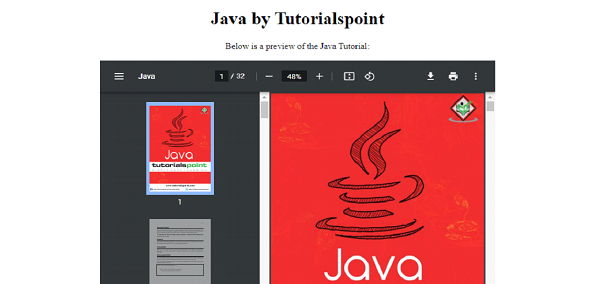
现在让我们看一个使用 embed 标签嵌入 PDF 的示例 -
<!DOCTYPE html>
<html>
<head>
   <title>Embed PDF</title>
</head>
<body>
   <center>
      <h1>Java by Tutorialspoint</h1>
      <p>Below is a preview of the Java Tutorial:</p>
      <embed src="https://www.cainiaomax.com/java/java_tutorial.pdf" width="700" height="500">
   </center>
</body>
</html>
输出
使用 object 标签在 HTML 中嵌入 PDF
我们可以使用 <object> 标签嵌入 PDF。您需要将要嵌入的 PDF 文件的链接放置在 object 数据的 data 属性中 -
<object data="https://www.cainiaomax.com/android/android_tutorial.pdf" width="700" height="500">
示例
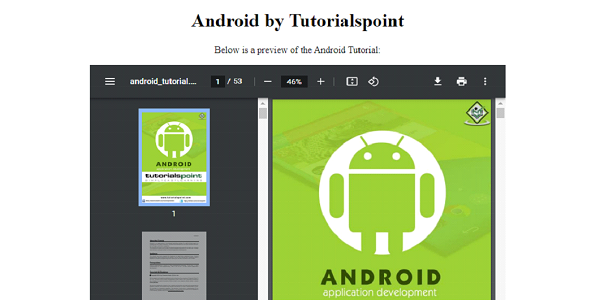
现在让我们看一个使用 object 标签嵌入 PDF 的示例 -
<!DOCTYPE html>
<html>
<head>
   <title>Embed PDF</title>
</head>
<body>
   <center>
      <h1>Android by Tutorialspoint</h1>
      <p>Below is a preview of the Android Tutorial:</p>
      <object data="https://www.cainiaomax.com/android/android_tutorial.pdf" width="700" height="500">
   </center>
</body>
</html>
输出
相关文章
有用资源
html 参考教程 - 该教程包含有关 html 的更多信息:https://www.cainiaomax.com/html/

