
使用 HTML 元标签禁用浏览器缓存
htmlweb developmentfront end technology更新于 2024/7/19 9:48:17
要使用 HTML 中的 <meta> 标签禁用浏览器缓存,请使用以下代码 -
<meta http-equiv="Cache-Control" content="no-cache, no-store, must-revalidate" />
<meta http-equiv="Pragma" content="no-cache" />
<meta http-equiv="Expires" content="0" />
HTML 允许您以多种方式指定元数据 - 有关文档的其他重要信息。META 元素可用于包含描述 HTML 文档属性的名称/值对,例如作者、到期日期、关键字列表、文档作者等。
<meta> 标签用于提供此类附加信息。此标签为空元素,因此没有结束标签,但其属性中包含信息。
示例
我们来看一个简单的例子。我们输入了 meta http equiv 来禁用浏览器缓存 -
<!DOCTYPE html>
<html lang="en">
<head>
   <meta charset="UTF-8">
   <meta http-equiv="Cache-Control" content="no-cache, no-store, must-revalidate" />
   <meta http-equiv="Pragma" content="no-cache" />
   <meta http-equiv="Expires" content="0" />
   <meta name="viewport" content="width=device-width, initial-scale=1.0">
   <title>Center Div Elements</title>
</head>
<style>
   .mydiv{
      color: red;
      background: yellow;
   }
</style>
<body>
   <h1>Demo Heading</h1>
   <div class='mydiv'>
      This is demo text.
   </div>
</body>
</html>
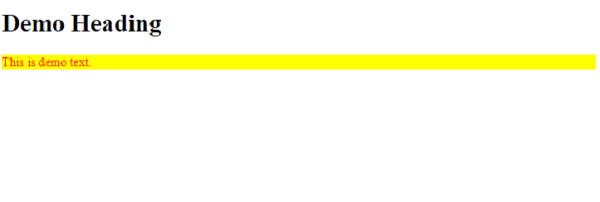
输出
相关文章
有用资源
html 参考教程 - 该教程包含有关 html 的更多信息:https://www.cainiaomax.com/html/

