
HTML DOM 样式 background 属性
htmlweb developmentfront end technology更新于 2024/5/20 14:04:17
background 属性用于设置或获取与元素关联的背景图像。它是一个简写属性,最多可以操作 8 个属性。
语法
以下是语法 −
设置 background 属性 −
object.style.background = " 颜色 图像 重复 附件 位置 大小 原点 剪辑|初始|继承"
值
以下是值 −
| Sr.No | 值 &描述 |
|---|---|
| 1 | color 用于设置元素背景颜色。 |
| 2 | image 用于设置元素背景图像。 |
| 3 | repeat 用于设置背景图像的重复方式。 |
| 4 | attachment 用于设置背景图片固定或随页面滚动。 |
| 5 | position 用于设置背景图片起始位置。 |
| 6 | size 用于设置背景图片大小。 |
| 7 | origin 用于指定背景定位区域。 |
| 8 | clip 用于设置背景图像的绘制距离。 |
示例
我们来看一个 background 属性的示例 −
<!DOCTYPE html>
<html>
<head>
<style>
   #PIC{
      width: 250px;
      height: 150px;
      border:solid 3px black;
      font-weight:100;
      text-align:center;
      color:white;
      font-size:40px;
      background: url("https://www.cainiaomax.com/python/images/python-mini.jpg") no-repeat fixed 2% 8%;
   }
</style>
<script>
   function changeBackground(){
      document.getElementById("PIC").style.backgroundImage="url(https://www.cainiaomax.com/csharp/images/csharp-mini-logo.jpg)";
      document.getElementById("Sample").innerHTML="The background URL is now changed and new background image can be seen.";
   }
</script>
</head>
<body>
<h2>Learning is fun</h2>
<div id="PIC">Tutorial</div>
<p>Click the below button to change the above background image for the div</p>
<button onclick="changeBackground()">CHANGE BACKGROUND</button>
<p id="Sample"></p>
</body>
</html>
输出
这将产生以下输出 −
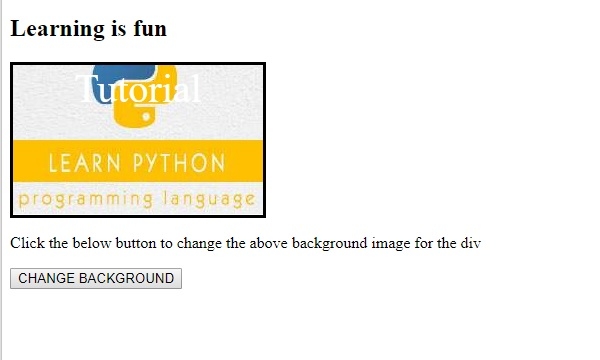
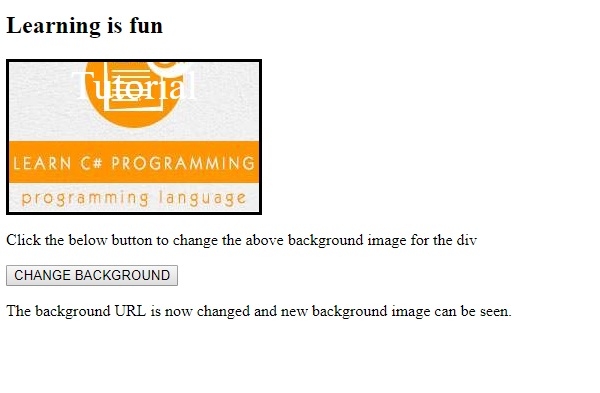
点击更改背景图片 −
相关文章
有用资源
html 参考教程 - 该教程包含有关 html 的更多信息:https://www.cainiaomax.com/html/

