
HTML DOM 表单 enctype 属性
HTML DOM 表单 enctype 属性与表单元素的 enctype 属性相关联。此属性设置或返回表单的 enctype 属性值。仅当 method 属性值为"POST"时才使用 enctype 属性。 enctype 属性用于指定表单中提交的数据应进行编码。
语法
以下是 − 的语法
设置 enctype 属性 −
formObject.enctype = encoding
此处,encoding 可以是 “application/x-www-form-urlencoded”,这意味着所有字符在发送前都会进行编码,这是默认编码。
另一个编码是 “multipart/form-data”,它指定不需要编码任何字符,用于将文件上传到服务器。
第三种编码是 “text/plain”,它只将空格转换为 “+” 符号,不进行其他编码。不应使用 text./plain 编码,因为它不安全。
示例
让我们看一个 Form enctype 属性的示例 −
<!DOCTYPE html>
<html>
<head>
<style>
   form{
      border:2px solid blue;
      margin:2px;
      padding:4px;
   }
</style>
<script>
   function changeEnc() {
      document.getElementById("FORM1").enctype = "application/x-www-form-urlencoded";
      document.getElementById("Sample").innerHTML = "The enctype attribute value is now 'application/x-www-form-urlencoded' ";
   }
</script>
</head>
<body>
<h1>Form enctype property example</h1>
<form id="FORM1" method="post" enctype="multipart/form-data">
<label>User Name <input type="text" name="usrN"></label> <br><br>
<label>Password <input type="password" name="pass"></label>
</form>
<br>
<button onclick="changeEnc()">CHANGE</button>
<p id="Sample"></p>
</body>
</html>
输出
这将产生以下输出 −
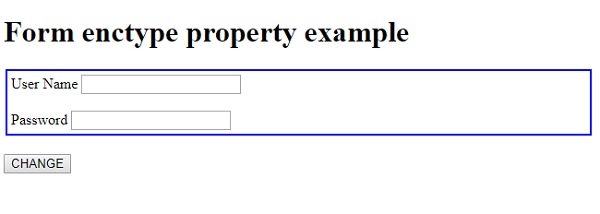
点击"更改"按钮 −
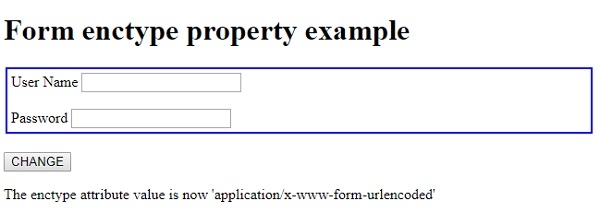
在上面的例子中 −
我们创建了一个表单,其 id=“Form1”、method=“post”,enctype 设置为 “multipart/form-data”。enctype 指定了表单数据的编码类型,在本例中设置为 “multipart/form-data”。此编码对于文件上传到服务器非常有用。该表单还包含一个文本字段和一个密码字段。
<form id="FORM1" method="post" enctype="multipart/form-data">
<label>User Name <input type="text" name="usrN"></label> <br><br>
<label>Password <input type="password" name="pass"></label>
</form>
然后,我们创建了一个按钮"CHANGE",当用户点击该按钮时,它将执行 changeEnc() 方法 −
<button onclick="changeEnc()">CHANGE</button>
changeEnc() 方法使用 getElementById() 方法获取表单元素,并将其 enctype 属性设置为 “application/x-www-form-urlencoded”。这使得所有字符都经过编码,并且是默认的 enctype 编码。我们使用 id 为"Sample"的段落的 innerHTML 属性,通过向用户显示文本来展示此更改 −
function changeEnc() {
   document.getElementById("FORM1").enctype = "application/x-www-form-urlencoded";
   document.getElementById("Sample").innerHTML = "The enctype attribute value is now 'application/x-www-form-urlencoded' ";
}
相关文章
有用资源
html 参考教程 - 该教程包含有关 html 的更多信息:https://www.cainiaomax.com/html/

