
HTML DOM dir 属性
htmlweb developmentfront end technology更新于 2024/6/1 16:12:17
HTML DOM dir 属性用于将元素的文本方向从默认的从左到右更改为从右到左或自动。dir 属性用于设置和返回元素的 dir 属性值。返回的 dir 属性值为字符串类型。
语法
以下是语法 −
设置 dir 属性 −
HTMLElementObject.dir = "ltr|rtl|auto"
此处,ltr=从左到右的文本方向,这是默认的文本方向;rtl=从右到左的文本方向;auto=文本方向基于此处的内容,通常由 Web 浏览器自动确定。
示例
让我们看一个 HTML DOM dir 属性的示例 −
<!DOCTYPE html>
<html>
<body>
<h2>HTML DOM dir property</h2>
<p id="Sample">This is a sample text</p>
<button onclick="changeDir()">Change Dir</button>
<script>
   function changeDir() {
      document.getElementById("Sample").dir = "rtl";
   }
</script>
<p>Clicking on the above button will change the text direction</p>
</body>
</html>
输出
这将产生以下输出 −
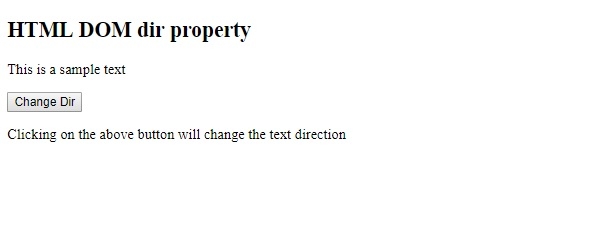
点击"更改目录"按钮 −
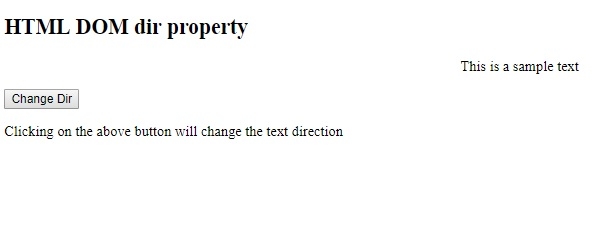
我们首先创建了一个"更改目录"按钮,当用户点击该按钮时,它将执行 changeDir() 函数 −
<button onclick="changeDir()">Change Dir</button>
changeDir() 函数使用 getElementById() 方法获取段落元素,并从右到左设置其 dir 属性值。这将从右到左显示文本 −
function changeDir() {
   document.getElementById("Sample").dir = "rtl";
}
相关文章
有用资源
html 参考教程 - 该教程包含有关 html 的更多信息:https://www.cainiaomax.com/html/

