
如何在 HTML 页面中使用浮动图片?
htmlweb developmentfront end technology更新于 2024/2/1 21:32:17
要在 HTML 中使用浮动图片,请使用 CSS 属性 float。该属性允许您将图片向左或向右浮动。更多属性值包括:
| Sr.No. | 属性值及说明 |
|---|---|
| 1 | none |
| 2 | left |
| 3 | right |
| 4 | initial |
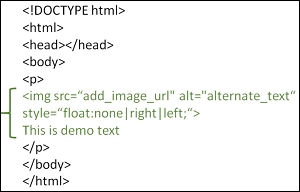
示例
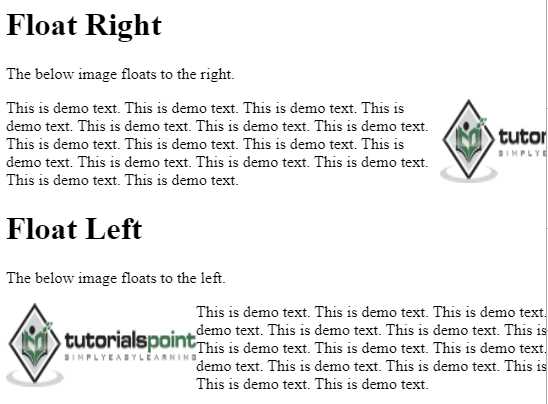
您可以尝试运行以下代码,在 HTML 中使用浮动图像。以下是 CSS 属性 float right 和 float left 的用法
<!DOCTYPE html>
<html>
   <head>
      <title>HTML Floating Image</title>
   </head>

<body>
   <h1>Float Right</h1>
   <p>The below image floats to the right.</p>
   <p>
      <img src="https://www.cainiaomax.com/green/images/logo.png" style="float:right" width="190" height="84" />
      This is demo text. This is demo text.
      This is demo text. This is demo text.
      This is demo text. This is demo text.
      This is demo text. This is demo text.
      This is demo text. This is demo text.
      This is demo text. This is demo text.
      This is demo text. This is demo text.
      This is demo text. This is demo text.
   </p>
   <h1>Float Left</h1>
      <p>The below image floats to the left.</p>
      <p>
         <img src="https://www.cainiaomax.com/green/images/logo.png" style="float:left" width="190" height="84" />
         This is demo text. This is demo text.
         This is demo text. This is demo text.
         This is demo text. This is demo text.
         This is demo text. This is demo text.
         This is demo text. This is demo text.
         This is demo text. This is demo text.
         This is demo text. This is demo text.
         This is demo text. This is demo text.
      </p>
   </body>
</html>
输出
相关文章
有用资源
html 参考教程 - 该教程包含有关 html 的更多信息:https://www.cainiaomax.com/html/

