
我需要一个 HTML5 客户端浏览器数据库。我有哪些选择?
htmlweb developmentfront end technology更新于 2024/8/10 4:28:17
本文中我们要执行的任务是"我需要一个 HTML5 客户端浏览器数据库,我有哪些选择?"。在深入研究本文之前,我们先来了解一下。
HTML5 引入了两种类似于 HTTP 会话 Cookie 的机制,用于在客户端存储结构化数据。这两种存储方式分别是会话存储和本地存储,它们分别用于处理不同的情况。
您可以使用 HTML5 中的本地存储来实现此目的。本地存储专为跨多个窗口且持续时间超出当前会话的存储而设计。
本地存储
Web 存储应用程序编程接口 (API) 包含 HTML5 本地存储的部分。这是网页用来在用户的 Web 浏览器中本地存储命名键/值对的技术。在同一域名的 HTML 页面中存储和检索数据通常使用本地存储。
本地存储使用 localStorage 对象永久存储整个网站的数据。
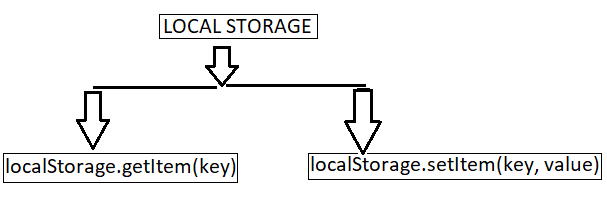
localStorage.setItem(key, value) 存储与键关联的数据。
localStorage.getItem(key) 检索与键关联的数据。
为了更好地理解本地存储的实用性,我们来看以下示例。
示例 1:使用 HTML localstorage
在下面的示例中,我们使用 localstroge 将数据存储在永不过期的网络。
<!DOCTYPE html>
<html>
<body>
   <input id="name" type="name" placeholder="enter your name" />
   <button type="submit" onClick="handleClick()">Click</button>
   <br />
   <div id="Varma"></div>
   <script>
      function handleClick() {
         if (typeof Storage !== "undefined") {
            let name = document.getElementById("name").value;
            localStorage.setItem("name", name);
            document.getElementById("Varma").innerHTML =
            "Welcome To Tutorialspoint" + " " + localStorage.name;
         }
         else {
            alert("Sorry! your browser doesn't support Web Storage");
         }
      }
   </script>
</body>
</html>
执行上述脚本后,它将生成显示输入字段和点击按钮的输出。当用户在输入字段输入后点击按钮时,数据将存储在本地存储中,无需验证。
示例 2
以下示例使用 localstroge 将数据永久存储在 Web 中。
<!DOCTYPE HTML>
<!DOCTYPE HTML>
<html>
<body>
   <script>
      if( localStorage.hits ){
         localStorage.hits = Number(localStorage.hits) +1;
      }
      else{
         localStorage.hits = 1;
      }
      document.write("Total Hits :" + localStorage.hits );
   </script>
   <p>Refresh the page to increase number of hits.</p>
   <p>Close the window and open it again and check the result.</p>
</body>
</html>
脚本执行时,会生成一个包含总点击次数和提示符的输出。当用户刷新网页时,点击次数会增加并保存该值。
相关文章
有用资源
html 参考教程 - 该教程包含有关 html 的更多信息:https://www.cainiaomax.com/html/

