
HTML Window moveBy() 方法
htmlweb developmentfront end technology更新于 2024/1/15 2:20:17
HTML Window moveBy() 方法可移动窗口使其相对于当前坐标。
语法
以下是语法 −
window.moveBy(x,y)
其中,x 和 y 分别定义窗口水平和垂直移动的像素值。
让我们看一个 HTML Window moveBy() 方法的示例 −
示例
<!DOCTYPE html>
<html>
<style>
   body {
      color: #000;
      height: 100vh;
      background-color: #8BC6EC;
      background-image: linear-gradient(135deg, #8BC6EC 0%, #9599E2 100%) no-repeat;
      text-align: center;
   }
   .btn {
      background: #db133a;
      border: none;
      height: 2rem;
      border-radius: 2px;
      width: 40%;
      display: block;
      color: #fff;
      outline: none;
      cursor: pointer;
      margin: 1rem auto;
   }
</style>
<body>
<h1>HTML Window moveBy() Method Demo</h1>
<button onclick="create()" class="btn">Create new window and then move it</button>
<script>
   function create(){
      var newWindow =window.open('','','width=150,height=150');
      newWindow.moveBy(550, 200);
   }
</script>
</body>
</html>
输出
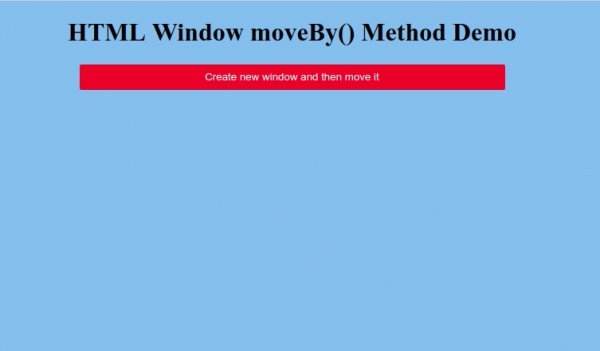
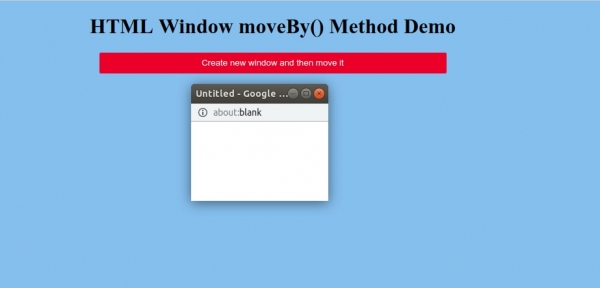
点击“创建新窗口并移动它”按钮来生成一个新窗口,然后使用 moveBy() 方法移动它:
相关文章
有用资源
html 参考教程 - 该教程包含有关 html 的更多信息:https://www.cainiaomax.com/html/

