
HTML 表格
htmlweb developmentfront end technology更新于 2024/5/21 19:24:17
HTML 表格使用 <table> 标签创建表格。表格中的每一行都使用 <tr> 标签指定,表头使用 <th> 标签定义。表格数据使用 <td> 标签定义。
语法
以下是语法 −
<table>
<tr>
<th>Table Header</th>
<th>Table Header</th>
</tr>
<tr>
<td>Table data</td>
<td>Table data</td>
</tr>
<tr>
<td>Table data</td>
<td>Table data</td>
</tr>
</table>
HTML 表格属性
| 属性 | 说明 |
|---|---|
| colspan | 用于使表格单元格跨越表格的列。 |
| rowspan | 用于使表格单元格跨越表格的行。 |
HTML 标题元素
我们还可以使用 HTML 标题元素为表格设置标题。
语法
以下是语法 −
<caption>text</caption>
示例
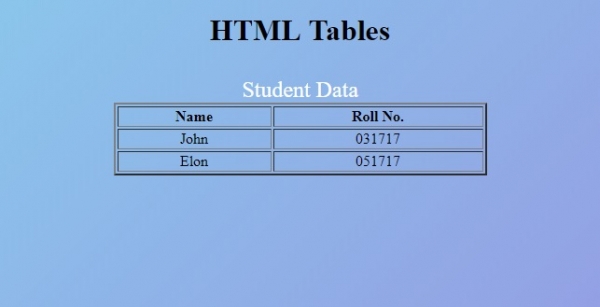
让我们看一个 HTML 表格的示例:
<!DOCTYPE html>
<html>
<style>
   body {
      color: #000;
      height: 100vh;
      background-color: #8BC6EC;
      background-image: linear-gradient(135deg, #8BC6EC 0%, #9599E2 100%);
      text-align: center;
   }
   table {
      margin: 2rem auto;
      width: 400px;
   }
   caption {
      color: #fff;
      font-size: 1.5rem;
   }
</style>
<body>
<h1>HTML Tables</h1>
<table border="2">
<caption>Student Data</caption>
<tr>
<th>Name</th>
<th>Roll No.</th>
</tr>
<tr>
<td>John</td>
<td>031717</td>
</tr>
<tr>
<td>Elon</td>
<td>051717</td>
</tr>
</table>
</body>
</html>
输出
相关文章
有用资源
html 参考教程 - 该教程包含有关 html 的更多信息:https://www.cainiaomax.com/html/

