
HTML DOM 样式 borderRightColor 属性
htmlweb developmentfront end technology更新于 2024/3/9 22:36:17
HTML DOM borderRightColor 属性用于获取或设置元素右边框的颜色。
以下是语法 −
设置 borderRightColor 属性 −
object.style.borderRightColor = "color|transparent|initial|inherit"
以上属性的解释如下 −
| 值 | 描述 |
|---|---|
| color | 用于指定右边框颜色。其默认颜色设置为黑色 |
| transparent | 使右边框颜色透明,可以看到下面的内容。 |
| initial | 将此属性设置为默认值 |
| inherit | 继承父属性值。 |
让我们看一个 borderRightColor 属性的示例:
示例
<!DOCTYPE html>
<html>
<head>
<style>
   #IMG1 {
      border-right:solid 8px;
      border-right-color: orange;
   }
</style>
<script>
   function changeBorderRight(){
      document.getElementById("IMG1").style.borderRightColor="lightgreen";
      document.getElementById("Sample").innerHTML="The border Right color is now changed to green";
   }
</script>
</head>
<body>
<img id="IMG1" src="https://www.cainiaomax.com/blue_prism/images/blueprism-logo.jpg?auto=compress&cs=tinysrgb&dpr=2&h=550&w=150
">
<p>Change the above image border Right color by clicking the below button</p>
<button onclick="changeBorderRight()">Change Border Color</button>
<p id="Sample"></p>
</body>
</html>
输出
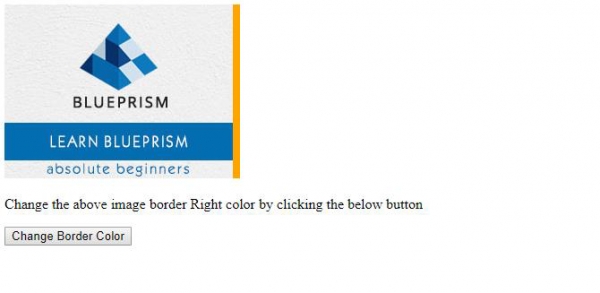
点击"更改边框颜色"按钮 −
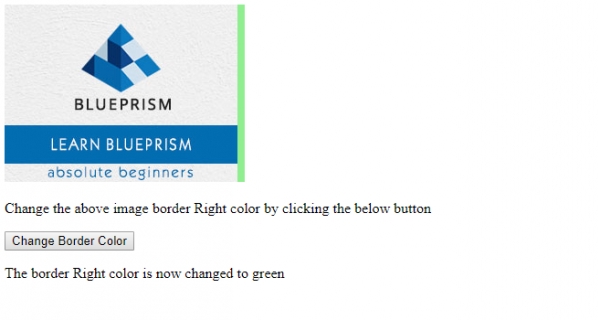
在上面的例子中 −
我们创建了一个 ID 为"IMG1"的图像元素,并应用了 CSS 样式。该 CSS 样式指定了左边框样式和左边框颜色。
#IMG1 {
   border-right:solid 8px;
   border-right-color: orange;
}
<img id="IMG1" src="https://www.cainiaomax.com/blue_prism/images/blueprism-logo.jpg?auto=compress&cs=tinysrgb&dpr=2&h=550&w=150
">
然后,我们创建了一个名为"更改边框颜色"的按钮,当用户点击该按钮时,它将执行 changeBorderRight() 方法 −
<button onclick="changeBorderRight()">Change Border Color</button>
changeBorderRight() 方法使用 getElementById() 方法获取 id 为 “IMG1” 的 <img> 元素,并将其 borderRjghtColor 样式属性设置为 lightgreen。这会将右边框颜色更改为 lightgreen,并使用其 innerHTML 属性在 id 为 “Sample” 的段落中显示此更改 −
function changeBorderRight(){
   document.getElementById("IMG1").style.borderLeftColor="lightgreen";
   document.getElementById("Sample").innerHTML="The border left color is now changed to green";
}
相关文章
有用资源
html 参考教程 - 该教程包含有关 html 的更多信息:https://www.cainiaomax.com/html/

