
HTML DOM 样式 animationTimingFunction 属性
htmlweb developmentfront end technology更新于 2024/5/20 15:08:17
animationTimingFunction 用于指定动画在其周期内的进展方式。它通过设置或返回动画的速度曲线来实现。速度曲线通过指定动画从一个状态转换到另一个状态所需的时间来定义过渡的平滑度。
语法
以下是语法 −
设置 animationTimingFunction 属性 −
object.style.animationTimingFunction = "linear|ease|ease-in|ease-out|cubic-bezier(n, n, n, n)|initial|inherit"
价值观
以下是价值观 −
| 序号 | 价值观 &说明 |
|---|---|
| 1 | linear 这指定动画在整个动画过程中具有相同的速度。 |
| 2 | ease 这是默认值,指定动画开始和结束时较慢,但在中间较快。 |
| 3 | ease-in 动画开始较慢。 |
| 4 | ease-out 动画结束较慢。 |
| 5 | ease-in-out 动画开始时很慢,结束时也很慢。 |
| 6 | cubic-bezier(n, n, n,n) 用于定义自定义值的 cubic-bezier 函数。 |
| 7 | initial 用于将此属性设置为初始值。 |
| 8 | inherit 继承父级属性值。 |
示例
让我们看一下 animationTimingFunction 属性的示例 −
<!DOCTYPE html>
<html>
<head>
<style>
   #PARA1{
      border: 2px solid black;
      position: relative;
      animation: demo 5s infinite;
      animation-timing-function: linear;
   }
   @keyframes demo {
      from {background-color: lightcoral; color:black;}
      to {background-color: indigo; color:white;}
   }
</style>
<script>
   function timingChange(){
      document.getElementById("PARA1").style.animationTimingFunction="ease";
      document.getElementById("Sample").innerHTML="The animation timing is now set to ease.";
   }
</script>
</head>
<body>
<p id="PARA1">
Lacus vel facilisis volutpat est velit. Id interdum velit laoreet id donec ultrices.
Praesent semper feugiat nibh sed pulvinar proin gravida hendrerit. Viverra nibh cras
pulvinar mattis nunc sed blandit libero.</p>
<p>Click the below button to change the above animation name</p>
<button onclick="timingChange()">CHANGE TIMING</button>
<p id="Sample"></p>
</body>
</html>
输出
这将产生以下输出 −
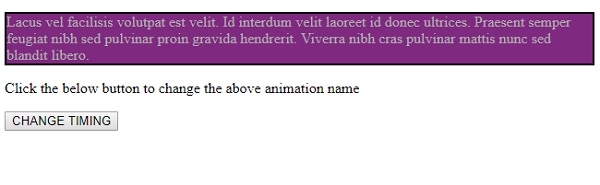
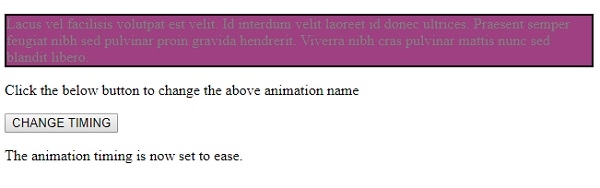
点击"更改时间"按钮 −
相关文章
有用资源
html 参考教程 - 该教程包含有关 html 的更多信息:https://www.cainiaomax.com/html/

