
HTML DOM Storage setItem() 方法
htmlweb developmentfront end technology更新于 2024/5/26 17:16:17
HTML DOM Storage setItem() 方法用于通过传递给定的键名来删除存储对象项。
语法
以下是 Storage removeItem() 方法的语法 −
localStorage.removeItem(keyname,value);
或
sessionStorage.removeItem(keyname,value );
其中,keyname 为字符串类型,表示用于获取值的键名。第二个参数 value 表示将替换旧值的新值。
示例
让我们看一下 Storage setItem() 方法的示例 −
<!DOCTYPE html>
<html>
<body>
<h1 style="text-align:center">Storage setItem() method example</h1>
<p>Create the localstorage item by clicking the below button</p>
<button onclick="itemCreate()">CREATE</button>
<p>Display the localstorage item by clicking the below button</p>
<button onclick="itemShow()">DISPLAY</button>
<p id="Sample"></p>
<script>
   function itemCreate() {
      localStorage.setItem("TEXT1","HELLO WORLD");
      document.getElementById("Sample").innerHTML ="The key-value pair has been created";
   }
   function itemShow() {
      var s = localStorage.getItem("TEXT1");
      document.getElementById("Sample").innerHTML ="The 'TEXT1' key value is "+s;
   }
</script>
</body>
</html>
输出
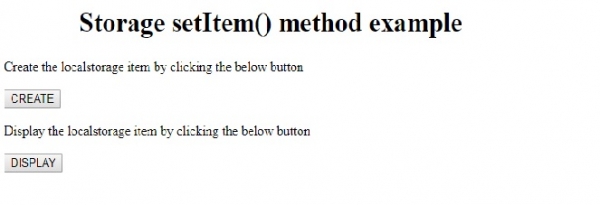
这将产生以下输出 −
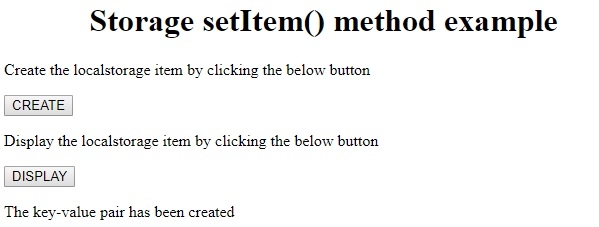
点击"创建"按钮 −
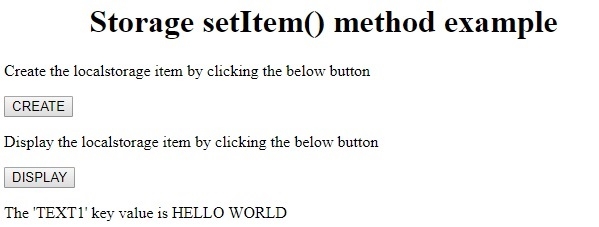
点击"显示"按钮 −
相关文章
有用资源
html 参考教程 - 该教程包含有关 html 的更多信息:https://www.cainiaomax.com/html/

