
HTML DOM stopPropagation() 事件方法
htmlweb developmentfront end technology更新于 2024/5/26 18:52:17
HTML DOM stopPropagation() 事件方法用于停止指定元素的传播。这意味着,使用 stopPropagation() 方法点击父元素不会将事件传播到子元素,点击子元素也不会将事件传播到父元素。事件传播也称为事件冒泡。
语法
以下是 stopPropagation() 事件方法的语法 −
event.stopPropagation()
示例
让我们看一下 stopPropagation() 事件方法的示例 −
<!DOCTYPE html>
<html>
<head>
<style>
   #DIV_1 {
      background: lightpink;
      width:130px;
      height:130px;
      margin-left:40%;
      text-align:center;
   }
   #IMG_1 {
      width:100px;
      height:100px;
      position:relative;
      left:5px;
   }
</style>
</head>
<body>
<h1>stopPropagation() method example</h1>
<div id="DIV_1" onclick="OuterDiv()">
DIV ELEMENT
<img onclick="InnerImg(event)" id="IMG_1" src="https://www.cainiaomax.com/hibernate/images/hibernate-mini-logo.jpg">
</div>
Stop propagation:
<input type="checkbox" id="check">
<script>
   function InnerImg(event) {
      confirm("Inner Image is clicked");
      if (document.getElementById("check").checked) {
         event.stopPropagation();
      }
   }
   function OuterDiv() {
      confirm("Outer div is clicked");
   }
</script>
</body>
</html>
输出
这将产生以下输出 −
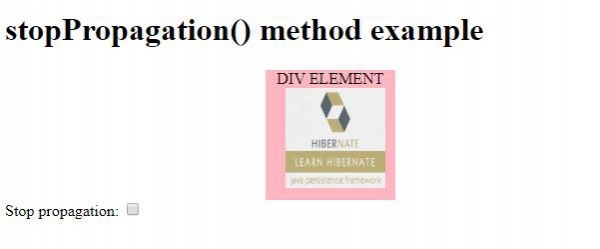
点击 div 元素内的图片元素时,没有先点击停止传播方法 −
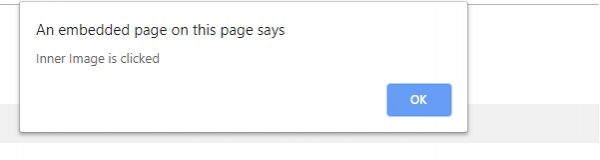
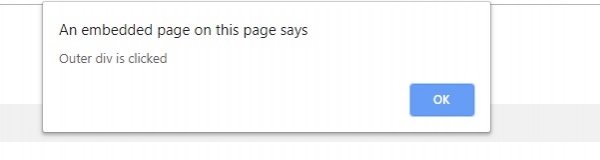
点击上方的"确定"时 −
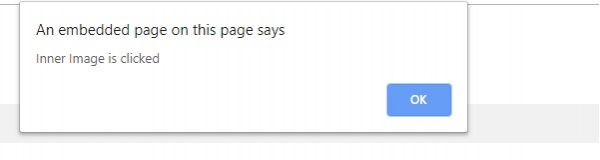
勾选停止传播复选框,然后点击内部图片时 −
相关文章
有用资源
html 参考教程 - 该教程包含有关 html 的更多信息:https://www.cainiaomax.com/html/

