
HTML DOM offsetHeight 属性
htmlweb developmentfront end technology更新于 2024/3/19 2:52:17
HTML DOM offsetHeight 属性返回一个数字,该数字对应于元素的高度,包括其内边距、边框和滚动条,但不包括外边距。
以下是语法 −
返回数值
HTMLelement.offsetHeight
让我们看一个 HTML DOM offsetHeight 属性的示例 −
示例
<!DOCTYPE html>
<html>
<head>
<title>HTML DOM offsetHeight</title>
<style>
   form {
      width:70%;
      margin: 0 auto;
      text-align: center;
   }
   * {
      padding: 2px;
      margin:5px;
   }
   input[type="button"] {
      border-radius: 10px;
   }
   #containerDiv {
      margin: 0 auto;
      height: 100px;
      width: 100px;
      overflow: auto;
   }
</style>
</head>
<body>
   <form>
      <fieldset>
         <legend>HTML-DOM-offsetHeight</legend>
         <div id="containerDiv">
            <img id="image" src="https://www.cainiaomax.com/db2/images/db2-mini-logo.jpg">
         </div>
         <input type="button" onclick="getHeight()" value="Get height of picture">
         <input type="button" onclick="fitHeight()" value="Remove Scrollbars">
         <div id="divDisplay"></div>
      </fieldset>
   </form>
<script>
   var divDisplay = document.getElementById("divDisplay");
   var imgSelect = document.getElementById("image");
   var containerDiv = document.getElementById("containerDiv");
   function getHeight() {
      divDisplay.innerHTML = 'Height of above picture with padding & border: '+imgSelect.offsetHeight;
      divDisplay.innerHTML += '<br>Height of container with padding & border:    '+containerDiv.offsetHeight;
   }
   function fitHeight() {
      containerDiv.style.height = imgSelect.height+'px';
      containerDiv.style.width = imgSelect.width+'px';
      containerDiv.style.overflow = 'hidden';
      getHeight();
}
</script></body></html>
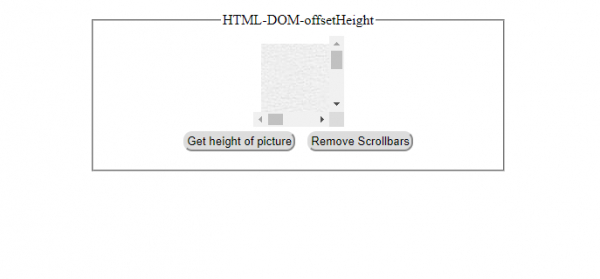
输出
点击任何按钮前 −
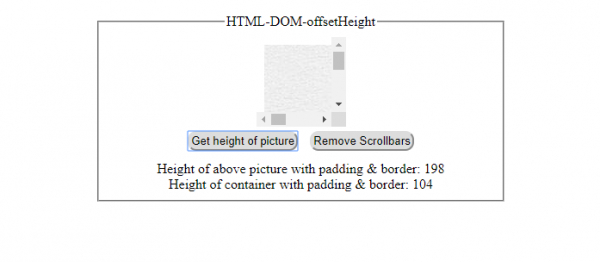
点击"获取图片高度"按钮后 −
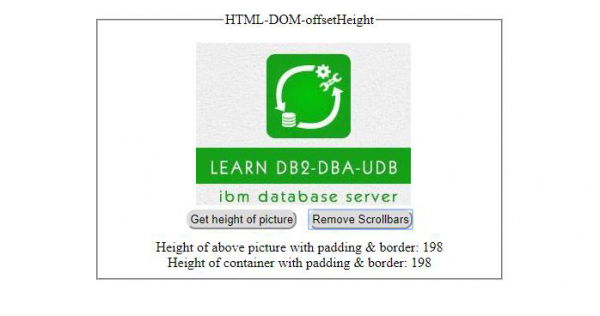
点击"移除滚动条"按钮后 −
点击"移除滚动条"按钮后 −
相关文章
有用资源
html 参考教程 - 该教程包含有关 html 的更多信息:https://www.cainiaomax.com/html/

