
HTML DOM Input Submit autofocus 属性
htmlweb developmentfront end technology更新于 2024/5/28 10:52:17
HTML DOM Input Submit autofocus 属性与 HTML <input> 元素的 autofocus 属性相关联。此属性用于设置或返回提交按钮在页面加载时是否自动对焦。
语法
以下是语法 −
设置自动对焦属性 −
submitObject.autofocus = true|false
此处,true 表示提交按钮应获得焦点,false 表示否则。默认设置为 false。
示例
让我们看一个 Input Submit autofocus 属性的示例 −
<!DOCTYPE html>
<html>
<body>
<h1> Submit Autofocus property</h1>
<form action=”/Sample_page.php” style="border:solid 2px green;padding:2px">
UserName: <input type="text" id="USR"><br>
Location: <input type="text" id=“Loc”><br><br>
<input type="submit" id="SUBMIT1" autofocus>
</form>
<p>Get the submit button autofocus property value by clicking the below button</p>
<button type="button()" onclick="FocusVal()">CHECK</button>
<p id="Sample"></p>
<script>
   function FocusVal(){
      var f = document.getElementById("SUBMIT1").autofocus;
      document.getElementById("Sample").innerHTML = "The submit button autofocus property is set to: "+f;
   }
</script>
</body>
</html>
输出
这将产生以下输出 −
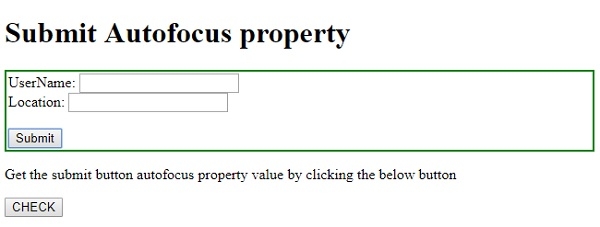
点击"检查"按钮 −
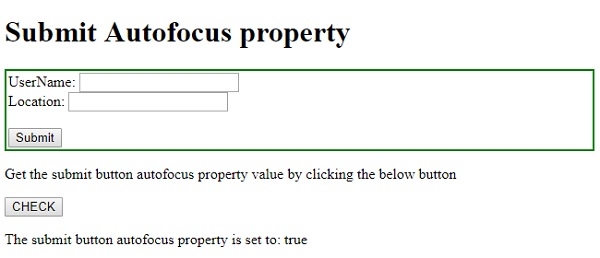
相关文章
有用资源
html 参考教程 - 该教程包含有关 html 的更多信息:https://www.cainiaomax.com/html/

