
HTML DOM 表单对象
htmlweb developmentfront end technology更新于 2024/6/1 1:48:17
HTML DOM 表单对象与 HTML <form> 元素关联。我们可以使用 document 对象的 createElement() 和 getElementById() 方法创建和访问表单元素。我们可以设置表单对象的各种属性,也可以获取它们。
属性
以下是表单对象的属性 −
| 属性 | 描述 |
|---|---|
| acceptCharset | 设置或返回表单中的 accept-charset 属性值。 |
| Action | 设置或返回表单的 action 属性值 |
| Autocomplete | 设置或返回表单的 autocomplete 属性值。 |
| Encoding | 它只是 |
| Enctype | 设置或返回表单的 enctype 属性值。 |
| Length | 返回表单中的元素数量。 |
| Method | 设置或返回表单的 method 属性值。 |
| Name | 设置或返回表单的 name 属性值。 |
| noValidate | 设置或返回用户提交表单数据时是否需要验证。 |
| Target | 设置或返回表单的 target 属性值。 |
方法
以下是表单对象的方法−
| 方法 | 描述 |
|---|---|
| reset() | 重置表单。 |
| submit() | 提交表单。 |
示例
让我们看一个示例HTML DOM 表单对象 −
<!DOCTYPE html>
<html>
<head>
<script>
   function CreateForm() {
      var f = document.createElement("FORM");
      document.body.appendChild(f);
      var i = document.createElement("INPUT");
      i.setAttribute("type", "password");
      f.appendChild(i);
   }
</script>
</head>
<body>
<h1>Form object example</h1>
<p>Create a FORM element containing an input element by clicking the below button</p>
<button onclick="CreateForm()">CREATE</button>
<br><br>
</body>
</html>
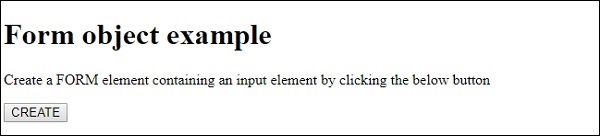
这将产生以下输出 −
点击"创建"按钮并在输入字段中输入内容 −
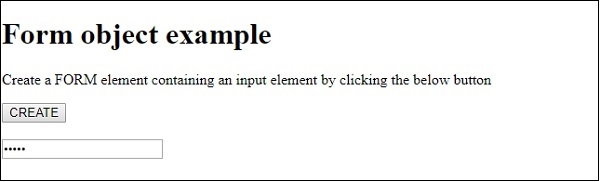
在上面的例子中 −
我们创建了一个按钮 CREATE,当用户点击该按钮时,它将执行 createForm() 方法 −
<button onclick="CreateForm()>>CREATE</button>
CreateForm() 方法创建一个 <form>使用文档对象的 createElement() 方法创建一个元素,并将其赋值给变量 f。然后使用 appendChild() 方法将表单元素附加到文档主体。接下来,我们使用 createElement() 方法创建一个输入元素,并使用 setAttribute() 方法为其创建一个值为"password"的 type 属性。
如果属性之前不存在,setAttribute() 方法会创建一个属性。最后,在表单元素上使用 appendChild() 方法,并将输入元素作为参数传递,我们将输入元素附加为表单元素的子元素 −
<button onclick="CreateForm()">CREATE</button>
相关文章
有用资源
html 参考教程 - 该教程包含有关 html 的更多信息:https://www.cainiaomax.com/html/

