
HTML DOM 嵌入集合
htmlweb developmentfront end technology更新于 2024/6/1 2:52:17
HTML DOM 嵌入集合用于返回 HTML 文档中 embeds [] 数组中存在的对象数量。集合中的元素按其在 HTML 文档中出现的顺序排列。
属性
以下是嵌入集合的属性 −
| 属性 | 描述 |
|---|---|
| length | 返回集合中 <embed> 元素的数量。由于此属性是只读的,因此您无法更改它。 |
方法
以下是 embeds 集合 − 的方法
| 方法 | 描述 |
|---|---|
| [index] | 返回集合中具有给定索引的 <embed> 元素。索引从 0 开始,如果索引号超出范围,则返回 null。 |
| item(index) | 返回 <embed>从集合中返回具有指定索引的元素。索引从 0 开始,如果索引号超出范围则返回 null。 |
| namedItem | 返回集合中与指定 ID 关联的 <embed> 元素。如果指定的 ID 不存在,则返回 null。 |
语法
以下是 embeds 集合的语法 −
document.embeds
示例
让我们看一个 HTML DOM embeds 集合的示例 −
<!DOCTYPE html>
<html>
<head>
<style>
   .EMB{
      width:200px;
      height:200px;
      border:4px solid blue;
   }
</style>
</head>
<body>
<h1>Embeds collection example</h1>
<p>Get the number of embeds element in this document by clicking the below button.</p>
<embed class="EMB" src="Text-collection.pdf">
<embed class="EMB" src="Text-collection.pdf">
<br><br>
<button onclick="embedsNo()">GET COUNT</button>
<p id="Sample"></p>
<script>
   function embedsNo() {
      var e = document.embeds.length;
      document.getElementById("Sample").innerHTML ="The number of embed elements in this document are " + e;
   }
</script>
</body>
</html>
输出
这将产生以下输出 −
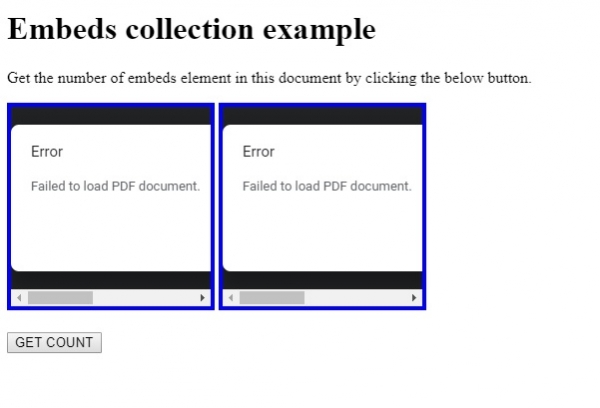
点击"获取数量"按钮时 −
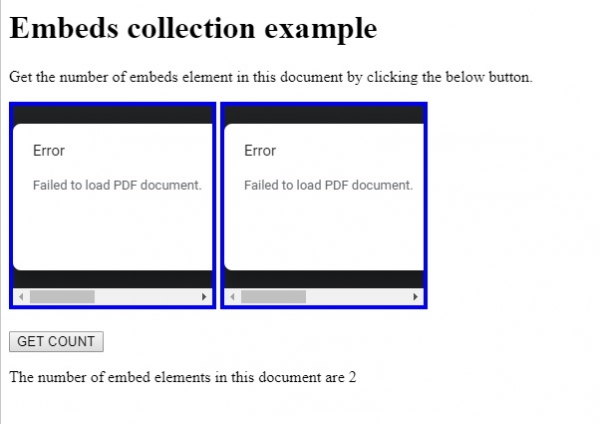
在上面的例子中 −
我们创建了两个 embed 元素,并根据它们共同的 class 属性值应用了 CSS 样式 −
.EMB{
   width:200px;
   height:200px;
   border:4px solid blue;
}
<embed class="EMB" src="Text-collection.pdf">
<embed class="EMB" src="Text-collection.pdf">
然后,我们创建了 GET COUNT 按钮,当用户点击时,该按钮将执行 embedsNo() 方法 −
<button onclick="embedsNo()">GET COUNT</button>
embedsNo() 方法获取 embeds.length 属性值并将其赋值给变量 e。由于我们的文档中只有两个 <embed> 元素,因此 embeds.length 将返回 2。
然后,此值显示在 id 为"Sample"的段落中,并将其 innerHTML 属性值设置为预期文本 −
function embedsNo() {
   var e = document.embeds.length;
   document.getElementById("Sample").innerHTML ="The number of embed elements it this document are " + e;
}
相关文章
有用资源
html 参考教程 - 该教程包含有关 html 的更多信息:https://www.cainiaomax.com/html/

