
HTML DOM close() 方法
htmlweb developmentfront end technology更新于 2024/6/1 23:08:17
HTML DOM close() 方法用于关闭输出流。执行此操作表示窗口上的写入已完成。它不接受任何参数,并在关闭前显示所有先前的数据。
语法
以下是 HTML DOM close() 方法的语法 −
document.close()
示例
让我们看一个 close() 方法的示例 −
<!DOCTYPE html>
<html>
<body>
<p>Click the below button to open an output stream put some text in it and finally close it.</p>
<button onclick="streamClose()">CLOSE STREAM</button>
<script>
   function streamClose() {
      document.open();
      document.write("<h1>SAMPLE HEADING</h1>");
      document.write("<h2>SAMPLE HEADING 2</h2>");
      document.write("<p>A paragraph</p>");
      document.close();
   }
</script>
</body>
</html>
输出
这将产生以下输出 −

点击"关闭流 −"
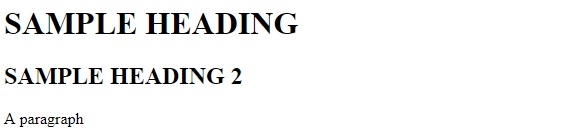
我们创建了一个"关闭流"按钮,点击 − 时会执行 streamclose() 方法。
<button onclick="streamClose()>关闭流</button>
streamClose() 方法使用 document 的 open 方法,该方法会打开一个新的流并清除文档中之前写入的所有文本。使用 document.write 向文档写入 <h1> 、 <h2> 和 <p> 元素。最后,我们使用文档的 close() 方法关闭输入流。−
function streamClose() {
   document.open();
   document.write("<h1>SAMPLE HEADING</h1>");
   document.write("<h2>SAMPLE HEADING 2</h2>");
   document.write("<p>A paragraph</p>");
   document.close();
}
相关文章
有用资源
html 参考教程 - 该教程包含有关 html 的更多信息:https://www.cainiaomax.com/html/

