
HTML DOM clientHeight 属性
htmlweb developmentfront end technology更新于 2024/6/2 0:12:17
HTML DOM clientHeight 属性用于获取 HTML 元素的可视高度。此高度包含内边距 (padding),但不包括边框 (border)、滚动条 (scrollbar) 和外边距 (margin)。即使内容超出元素范围,它也仅返回元素本身的高度。
计算公式为:−
CSS height+ CSS padding – border –scrollbar(horizontal) – margins
语法
以下是 clientHeight 属性的语法 −
element.clientHeight
示例
让我们来看一个 HTML DOM clientHeight 属性的示例 −
<!DOCTYPE html>
<html>
<head>
<style>
#styleDIV {
   height: 250px;
   padding: 10px;
   margin: 15px;
   border: 2px solid blue;
   background-color: lightgreen;
   text-align:center;
}
</style>
</head>
<body>
<p>Click the below button to get the height of the div, including padding.</p>
<button onclick="heightDiv()">GET HEIGHT</button>
<div id="styleDIV">
<b>A sample div</b>
</div>
<p id="Sample"></p>
<script>
   function heightDiv() {
      var x = document.getElementById("styleDIV");
      var txt = "Height including padding = " + x.clientHeight ;
      document.getElementById("Sample").innerHTML = txt;
   }
</script>
</body>
</html>
输出
这将产生以下输出 −
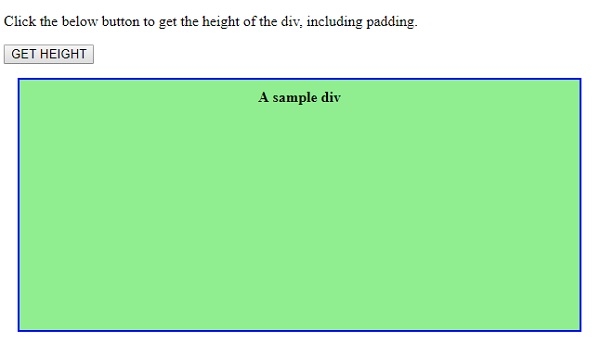
点击"获取高度"按钮 −
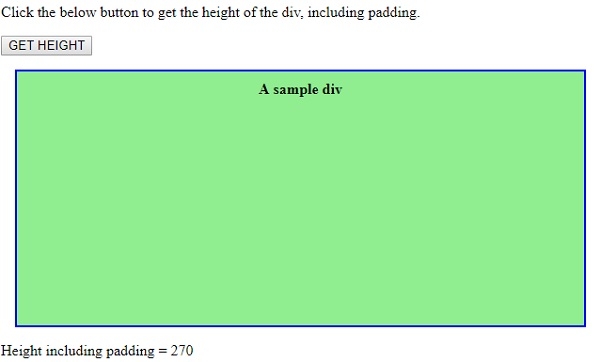
在上面的例子中 −
我们创建了一个 id 为 “styleDIV” 的 div,并使用其 id 为其应用了样式 −
#styleDIV {
   height: 250px;
   padding: 10px;
   margin: 15px;
   border: 2px solid blue;
   background-color: lightgreen;
   text-align:center;
}
<div id="styleDIV">
<b>A sample div</b>
</div>
然后,我们创建了一个按钮"GET HEIGHT",当点击 − 时,它将执行 heightDiv() 方法。
<button onclick="heightDiv()">GET HEIGHT</button>
heightDiv() 使用 getElementById() 方法获取 <div> 元素,并将其赋值给变量 x。然后,使用 <div> 上的 clientHeight 属性获取其高度,并在附加一些文本后将其赋值给变量 txt。然后,使用段落的 innerHTML 属性并将 txt 变量赋值给它,txt 中的文本将显示在段落内部 −
function heightDiv() {
   var x = document.getElementById("styleDIV");
   var txt = "Height including padding = " + x.clientHeight ;
   document.getElementById("Sample").innerHTML = txt;
}
相关文章
有用资源
html 参考教程 - 该教程包含有关 html 的更多信息:https://www.cainiaomax.com/html/

