
HTML DOM blur() 方法
htmlweb developmentfront end technology更新于 2024/6/11 10:52:17
HTML DOM blur() 方法用于从特定元素移除键盘焦点。使用 blur,我们可以为任何 HTML 元素添加或移除模糊效果。blur() 方法可以帮助更好地在网页中导航,因为我们可以根据用户输入精确地聚焦到某个元素。
语法
以下是 blur() 方法的语法 −
Object.blur()
示例
让我们看一个 blur() 方法的示例 −
<!DOCTYPE html>
<html>
<head>
<style>
   a{
      text-decoration:none;
      font-size:20px;
   }
   a:focus, a:active {
      color: red;
      text-decoration:underline;
      font-size:40px;
   }
</style>
</head>
<body>
<a id="Anchor" href="https://example.com">example.com</a>
<p>Give focus or remove focus…</p>
<input type="button" onclick="getfocus()" value="Get focus">
<input type="button" onclick="losefocus()" value="Lose focus">
<script>
   function getfocus() {
      document.getElementById("Anchor").focus();
   }
   function losefocus() {
      document.getElementById("Anchor").blur();
   }
</script>
</body>
</html>
输出
这将产生以下输出 −
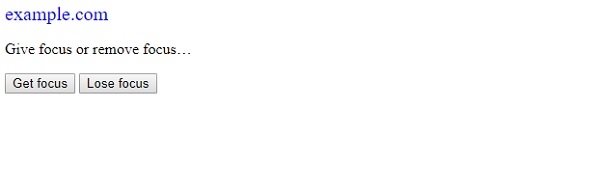
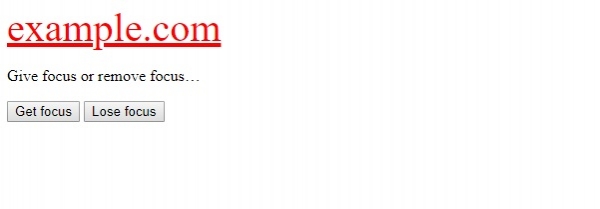
点击"获取焦点"时,
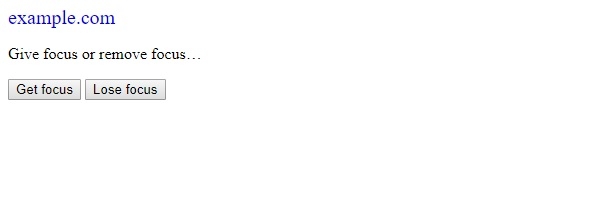
点击"失去焦点"时,效果与原始效果相同 −
在上面的例子中 −
我们首先创建了一个 id 为 “Anchor” 的锚标签,并且 href=”https://www.example.com” −
<a id="Anchor" href="https://example.com>example.com</a>
然后,我们为锚标签定义了两种样式,以区分它在获得焦点和激活状态时以及非激活状态时的情况。
a{
   text-decoration:none;
   font-size:20px;
}
a:focus, a:active {
   color: red;
   text-decoration:underline;
   font-size:40px;
}
然后,我们创建了两个按钮"获取焦点"和"失去焦点",分别用于执行 getfocus() 和 losefocus() 函数。
<input type="button" onclick="getfocus()" value="Get focus">
<input type="button" onclick="losefocus()" value="Lose focus">
getfocus() 函数获取与其关联"Anchor"id 的元素,在本例中为 <anchor>元素。然后执行 focus 方法,将链接更改为 a:focus,a:active 样式,即颜色变为绿色,文本带下划线,字体大小增加到 40px。
function getfocus() {
   document.getElementById("Anchor").focus();
}
losefocus() 函数获取与其关联 ID 为 “Anchor” 的元素,在本例中为 <anchor> 元素。然后执行 blur() 方法,将焦点从上述链接移开,并将链接样式更改为 <a> 元素的原始样式。
function losefocus() {
   document.getElementById("Anchor").blur();
}
相关文章
有用资源
html 参考教程 - 该教程包含有关 html 的更多信息:https://www.cainiaomax.com/html/

