
HTML DOM AnimationEvent
htmlweb developmentfront end technology更新于 2024/6/11 14:36:17
HTML DOM AnimationEvent 是 JavaScript 中的一个对象,用于处理 CSS 动画运行时发生的事件。它主要提供与动画相关的事件信息,让我们能够更好地控制 CSS 动画。它通过描述触发动画的事件来表示事件和动画之间的关系。
属性
以下是动画事件 − 的属性
| 属性 | 描述 |
|---|---|
| animationName | 返回正在执行的动画的名称。 |
| elapsedTime | 返回动画运行以来经过的时间(以秒为单位)。 |
| pseudoElement | 返回动画伪元素的名称。例如:::before、::after、::first-line 等。 |
语法
以下是 animationEvent 的语法 −
animationEvent.property
示例
让我们看一个 animationEvent 的示例 −
<!DOCTYPE html>
<html>
<head>
<style>
   #ANIM-DIV {
      margin: 10px;
      width: 400px;
      height: 100px;
      background: lightgreen;
      position: relative;
      font-size: 30px;
      animation-name: animMove;
      animation-duration: 5s;
   }
   @-webkit-keyframes animMove {
      from {top: 0px;}
      to {top: 200px;}
   }
</style>
</head>
<body>
<div id="ANIM-DIV"></div>
<script>
   var x = document.getElementById("ANIM-DIV");
   x.addEventListener("animationstart", myAnimFunction);
   function myAnimFunction(event) {
      this.innerHTML = "The animation-name is: " + event.animationName;
   }
</script>
</body>
</html>
注意 −这是在 chrome 74.0.3729.169 上进行测试的。检查您的浏览器对动画事件的兼容性。
输出
将产生以下产出−
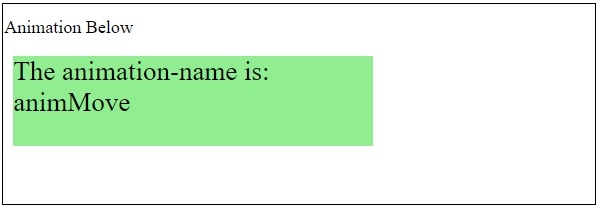
5秒后,元素将向下移动 −
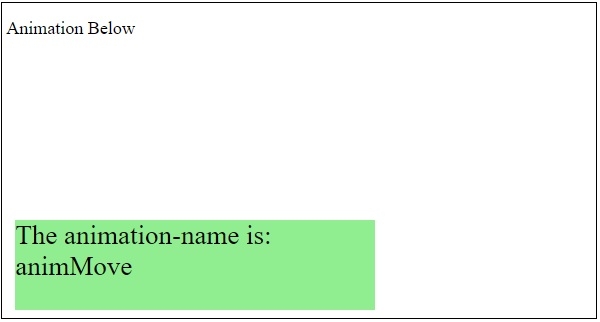
在上面的例子中 −
我们使用 div 创建了一个 400px x 100px 的矩形框。
#ANIM-DIV {
   margin: 10px;
   width: 400px;
   height: 100px;
   background: lightgreen;
   position: relative;
   font-size: 30px;
   animation-name: animMove;
   animation-duration: 5s;
}
然后,我们指定了 div 动画移动的起始位置和结束位置 −
@-webkit-keyframes animMove {
   from {top: 0px;}
   to {top: 200px;}
}
相关文章
有用资源
html 参考教程 - 该教程包含有关 html 的更多信息:https://www.cainiaomax.com/html/

