
如何使用 jQuery 实现文本框仅允许输入数字?
htmlweb developmentfront end technology更新于 2024/7/4 11:24:17
我们可以轻松地使用 jQuery 实现文本框仅允许输入数字。在 keyup() 函数下设置代码,使其仅允许输入数字,这样文本框就不会接受字符串。我们将看到两个示例 -
- 使用 jQuery replace() 实现文本框仅允许输入数字
- 使用 jQuery fromCharCode() 实现文本框仅允许输入数字
使用 jQuery replace() 实现文本框仅允许输入数字
在本例中,我们将了解如何使用 jQuery replace() 实现文本框仅允许输入数字。我们必须在 keyup 下设置代码,使其在输入时仅允许输入数字,否则文本框将不允许输入字符串 -
$('.numbers').keyup(function () {
    this.value = this.value.replace(/[^0-9\.]/g,'');
});
上面,我们设置了一个正则表达式,只允许在文本框中输入数字 0-9。.numbers 是为两个输入框设置的类,即 -
<p>Rank:
   <input type="text" class="numbers" value="" />
</p>
<p>Marks:
   <input type="text" class="numbers" value="" />
</p>
示例
现在让我们看看使用 jQuery replace() 仅允许 TextBox 中数字的完整示例 -
<!DOCTYPE html>
<html>
<title>Input Numbers Only</title>
<head>
   <script src="https://code.jquery.com/jquery-git.js"></script>
</head>
<body>
   <h1>Score</h1>
   <p>Rank:
      <input type="text" class="numbers" value="" />
   </p>
   <p>Marks:
      <input type="text" class="numbers" value="" />
   </p>
   <script>
      $('.numbers').keyup(function () {
         this.value = this.value.replace(/[^0-9\.]/g,'');
      });
   </script>
</body>
</html>
输出
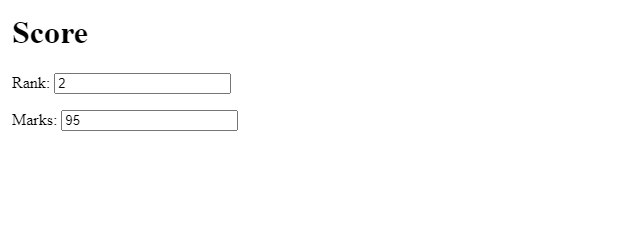
以上文本框仅允许输入数字。
使用 jQuery fromCharCode() 实现文本框仅允许输入数字
在本例中,我们将使用 jQuery fromCharCode() 实现文本框仅允许输入数字。我们必须设置按键下方的代码,以便在输入时仅允许输入数字,否则文本框将不允许输入字符串 -
$('.numbers').keypress(function (e) {
    if (String.fromCharCode(e.keyCode).match(/[^0-9]/g)) return false;
});
以上,我们设置了一个正则表达式,仅允许在文本框中输入数字 0-9。.numbers 是为两个输入框设置的类,即 -
<p>Rank:
   <input type="text" class="numbers" value="" />
</p>
<p>Marks:
   <input type="text" class="numbers" value="" />
</p>
示例
现在让我们看一下仅允许在 TextBox 中使用数字的完整示例 -
<!DOCTYPE html>
<html>
<title>Input Numbers Only</title>
<head>
   <script src="https://code.jquery.com/jquery-git.js"></script>
</head>
<body>
   <h1>Score</h1>
   <p>Rank:
      <input type="text" class="numbers" value="" />
   </p>
   <p>Marks:
      <input type="text" class="numbers" value="" />
   </p>
   <script>
      $('.numbers').keypress(function (e) {
         if (String.fromCharCode(e.keyCode).match(/[^0-9]/g)) return false;
      });
   </script>
</body>
</html>
输出

相关文章
有用资源
html 参考教程 - 该教程包含有关 html 的更多信息:https://www.cainiaomax.com/html/

