
如何禁用 Google Chrome 自动填充选项?
htmlweb developmentfront end technology更新于 2024/7/19 8:12:17
要在 Google Chrome 上禁用自动填充选项,请使用 autocomplete 属性并将其设置为 -
autocomplete="chrome-off"
我们将看到一个 HTML 表单,我们将针对其中的字段禁用自动填充功能,首先针对表单 -
<form action="/action_page.php" method="get" autocomplete="chrome-off">
   <!- - -
   - ->
</form>
现在,禁用每种输入类型的自动填充功能 -
<input type="text" name="firstname" placeholder="Enter First Name" autocomplete="chrome-off">
<input type="text" name="lastname" placeholder="Enter Last Name" autocomplete="chrome-off">
<input type="submit" value="SUBMIT" class="btn" autocomplete="chrome-off">
示例
让我们看一个例子 -
<!DOCTYPE html>
<html>
<style>
   input {
      width: 315px;
      display: block;
      margin: 1rem auto;
      padding: 8px;
      border-radius: 20px;
      outline: none;
   }

   ::placeholder {
      color: #000;
   }

   .btn {
      background: black;
      border: none;
      height: 2rem;
      border-radius: 20px;
      width: 330px;
      display: block;
      color: #fff;
      outline: none;
      cursor: pointer;
      margin: 1rem auto;
   }
</style>
<body>
   <h1>Details</h1>
   <form action="/action_page.php" method="get"  autocomplete="chrome-off">
      <input type="text" name="firstname" placeholder="Enter First Name" autocomplete="chrome-off">
      <input type="text" name="lastname" placeholder="Enter Last Name" autocomplete="chrome-off">
      <input type="submit" value="SUBMIT" class="btn" autocomplete="chrome-off">
   </form>
</body>
</html>
输出
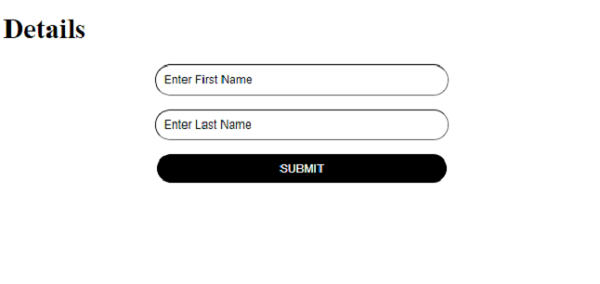
请在上方输入一些值。
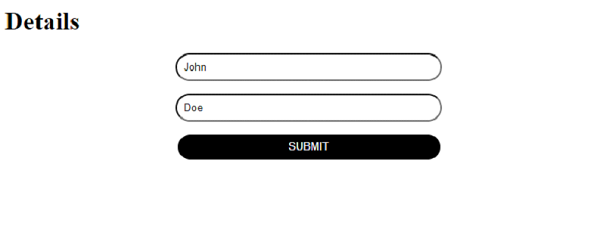
由于我们已在 Google Chrome 浏览器中禁用自动填充功能,因此下次填写表单时,上述 FirstName 和 LastName 值将不可见。
相关文章
有用资源
html 参考教程 - 该教程包含有关 html 的更多信息:https://www.cainiaomax.com/html/

