
如何清除画布以便重绘?
htmlweb developmentfront end technology更新于 2024/7/19 12:28:17
要清除画布以便重绘,请使用 HTML 中的 canvas.clearRect() 方法。该方法将清除指定的像素。该方法的参数包括:-
- x - 要清除的 x 坐标
- y - 要清除的 y 坐标
- width - 要清除的矩形的宽度
- height - 要清除的矩形的高度
让我们看一个示例,该示例在 JavaScript 中创建画布,并在点击按钮时清除画布以便重绘。以下是创建画布的代码:-
var c = document.getElementById("myCanvas");
var ctx = c.getContext("2d");
ctx.strokeRect(5, 5, 25, 15);
ctx.scale(2, 2);
ctx.strokeRect(5, 5, 25, 15);
JavaScript 中的清除按钮代码。使用 clearRect() 方法清除画布 -
var button=document.getElementById("clear");
button.onclick=function clearcanvas(){
   ctx.clearRect(0, 0, myCanvas.width, myCanvas.height);
   var w = myCanvas.width;
   myCanvas.width = 1;
   myCanvas.width = w;
}
HTML 中的按钮代码 −
<button id="clear" type="button">清除画布</button>
示例
现在让我们看看清除画布的完整示例 −
<!DOCTYPE html>
<html>
<body>
   <button id="clear" type="button">Clear Canvas</button>
   <canvas id="myCanvas" width="300" height="170" style="border:1px solid #d3d3d3;"></canvas>
   <script>
      var c = document.getElementById("myCanvas");
      var ctx = c.getContext("2d");
      ctx.strokeRect(5, 5, 25, 15);
      ctx.scale(2, 2);
      ctx.strokeRect(5, 5, 25, 15);
      var button=document.getElementById("clear");
      button.onclick=function clearcanvas(){
         ctx.clearRect(0, 0, myCanvas.width, myCanvas.height);
         var w = myCanvas.width;
         myCanvas.width = 1;
         myCanvas.width = w;
      }
   </script>
</body>
</html>
输出
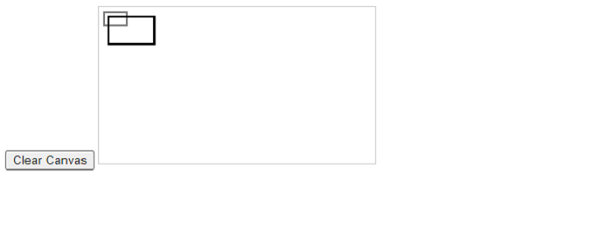
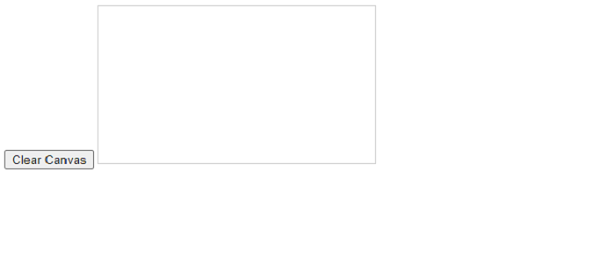
单击清除画布按钮,画布将清除 -
相关文章
有用资源
html 参考教程 - 该教程包含有关 html 的更多信息:https://www.cainiaomax.com/html/

