
如何使"position: absolute"元素居中?
htmlweb developmentfront end technology更新于 2024/7/19 6:04:17
我们可以轻松地在 Python 中将绝对定位元素水平和垂直居中。为此,请使用以下 CSS 属性。
对于水平居中,请使用以下属性 -
- left
- margin-left
对于垂直居中,请使用以下属性 -
- top
- margin-top
使绝对定位元素水平居中
示例
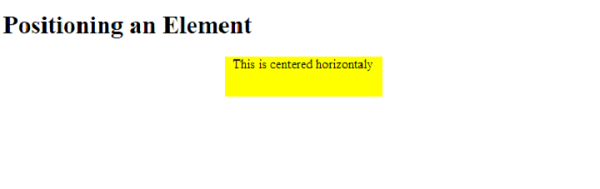
要使绝对定位元素水平居中,请使用以下代码 -
<!DOCTYPE html>
<html>
<head>
   <style>
      div.center{
         width:200px;
         height: 50px;
         left:50%;
         margin-left:-100px;
         position:absolute;
         background: yellow;
         text-align: center;
      }
   </style>
</head>
<body>
   <h1>Positioning an Element</h1>
   <div class='center'>
      This is centered horizontaly
   </div>
</body>
</html>
输出
垂直居中绝对定位元素
示例
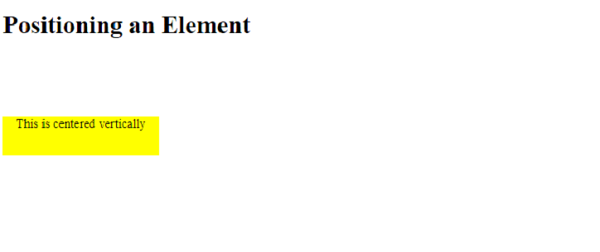
要垂直居中绝对定位元素,请使用以下代码 -
<!DOCTYPE html>
<html>
<head>
   <style>
      body,html{
         min-height:100%;
      }
      div.center{
         width:200px;
         height: 50px;
         top:80%;
         margin-top:-100px;
         position:absolute;
         background: yellow;
         text-align: center;
      }
   </style>
</head>
<body>
   <h1>Positioning an Element</h1>
   <div class='center'>
      This is centered vertically
   </div>
</body>
</html>
输出
使绝对定位元素水平和垂直居中
示例
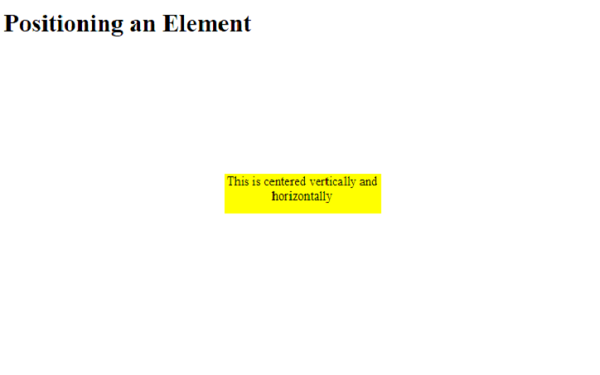
要使绝对定位元素水平和垂直居中,请使用以下代码 -
<!DOCTYPE html>
<html>
<head>
   <style>
      body,html{
         min-height:100%;
      }
      div.center{
         width:200px;
         height: 50px;
         left:50%;
         top:50%;
         margin-left:-100px;
         margin-top:-25px;
         position:absolute;
         background: yellow;
         text-align: center;
      }
   </style>
</head>
<body>
   <h1>Positioning an Element</h1>
   <div class='center'>
      This is centered vertically and horizontally
   </div>
</body>
</html>
输出
相关文章
有用资源
html 参考教程 - 该教程包含有关 html 的更多信息:https://www.cainiaomax.com/html/

