
在 Python Tkinter 按钮上添加图像
pythonserver side programmingprogramming更新于 2025/7/2 10:20:17
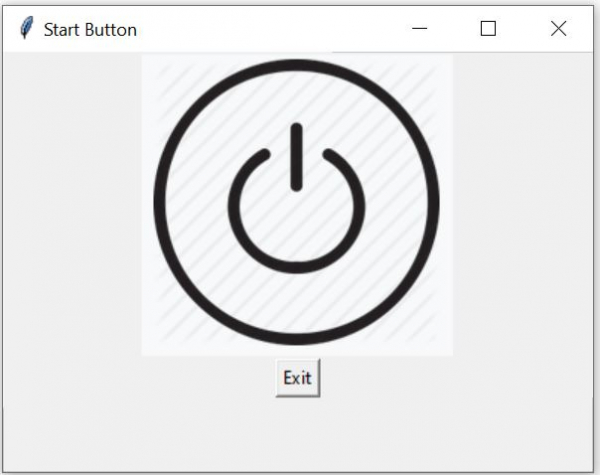
Tkinter 是用于 Python 编程的 GUI 库,具有向 GUI 按钮添加图像的功能。这对于用户记住 GUI 中的符号而不是 GUI 中的文本很有用。在下面的 Tkinter 程序中,我们展示了如何向 GUI 按钮添加图像。使用 imageKT 模块中的 photoimage 方法。我们提到了图像文件的本地路径。
示例
from tkinter import *
from PIL import ImageTk ,Image

base = Tk()
base.title('Start Button')

img=ImageTk.PhotoImage(Image.open ("D:\button.jpg"))
lab=Label(image=img)
lab.pack()

button=Button(base,text='exit',command=base.quit)
button.pack()
base.mainloop()
输出
运行上述代码得到以下结果 −
相关文章
有用资源
python 参考教程 - 该教程包含有关 python 的更多信息:https://www.cainiaomax.com/python/

